4 Version Control and Collaboration

openstatsware short course: Good Software Engineering Practice for R Packages

Daniel Sabanés Bové

July 17, 2026

  • Overview, demo, practical
  • Can only scratch surface
  • More resources on the course website

Trade-offs in code development


Working alone:

  • No coordination overhead
  • No review
  • Lack of diversity
  • Can slack on documentation
  • Fragile long-term maintenance

Working in a team:

  • Coordination overhead
  • Mutual review of code
  • Different approaches
  • Forced to document
  • More robust long-term maintenance

Key issue:
Manage complexity over time or between people

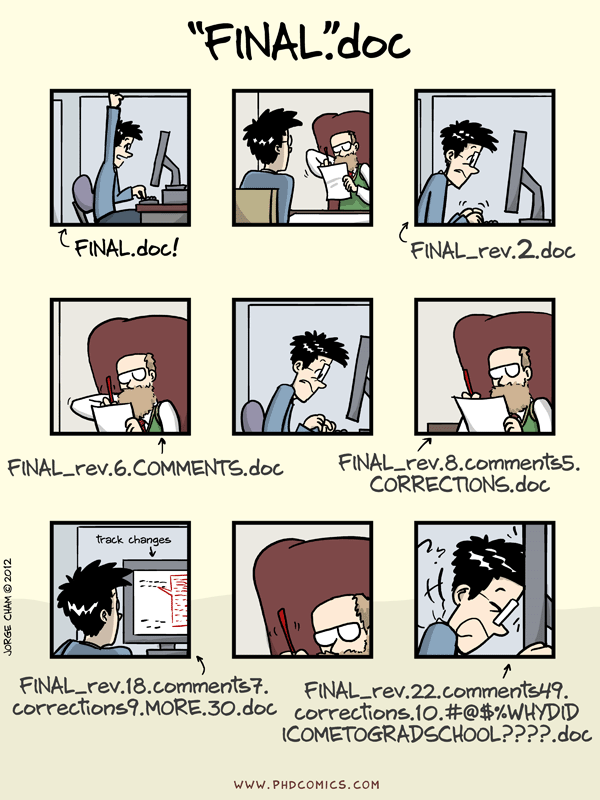
  • No matter how a group is organised, the work of many contributors often needs to be combined into a single set of shared working documents

  • Managing changes/revisions to these documents is called versioning

Version control systems (VCS)

  • Manage different versions of a piece of work
  • Compare and merge diverged versions effectively1

flowchart LR
  A[Anna v1] --> B[Anna v2]
  B --> C[Anna v3]
  B --> D[Ben v1]
  D --> E[Anna + Ben v4]
  C --> E

  • Code is complex system \(\leadsto\) ideal application of VCS
  • Compounded by multiple people fiddling with it!

git basics

Enter git

  • Created by Linus Torvalds in 2005, for work on Linux kernel
  • Essentially a database with snapshots of a monitored repository (directory)
  • Optimized to compute line-based changes
  • Integrated in RStudio IDE, Visual Studio Code
  • De facto standard, and not just in the R world
  • Alternatives: mercurial, SVN, …

Git commands

  • git commands are composed of three parts:
    • git verb options
    • git invokes Git
    • verb is a placeholder for the different actions (such as branch or commit, more on that later)
    • options is a placeholder for any option possibly required by a certain verb (not always required)
  • Hint: git help is your friend!

Stage and commit

gitGraph
   commit
   commit
   commit
   commit
   commit

  1. Stage changes for inspection
    • allows to inspect proposed changes before locking them in
  2. Permanently commit changes to git to add them to the project history

\(\leadsto\) Chain of versions with incremental changes

Line-based differences - the diff
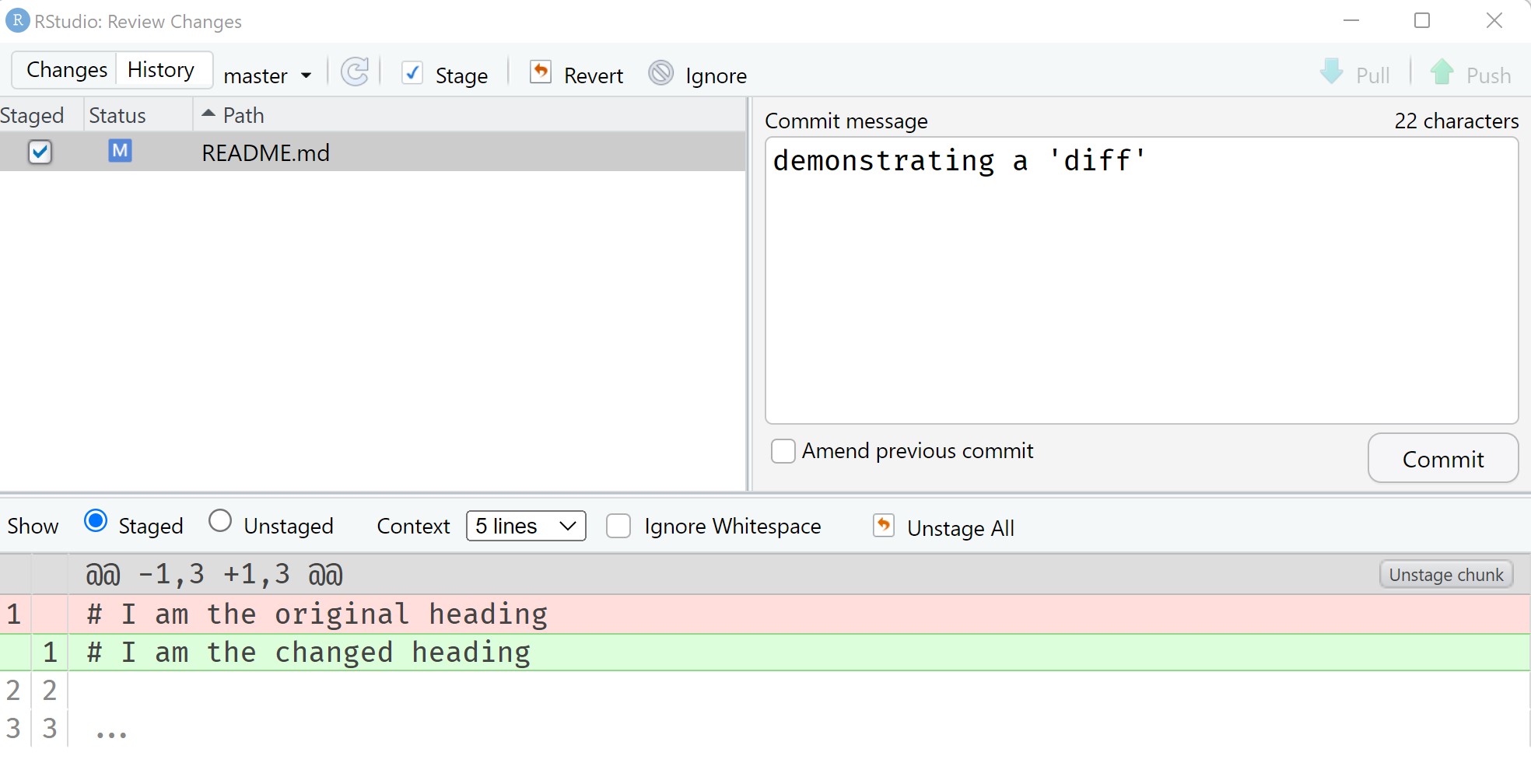
  • Changes in git are line-based
  • Additions (green) and deletions (red) between commits are highlighted

Going back in time
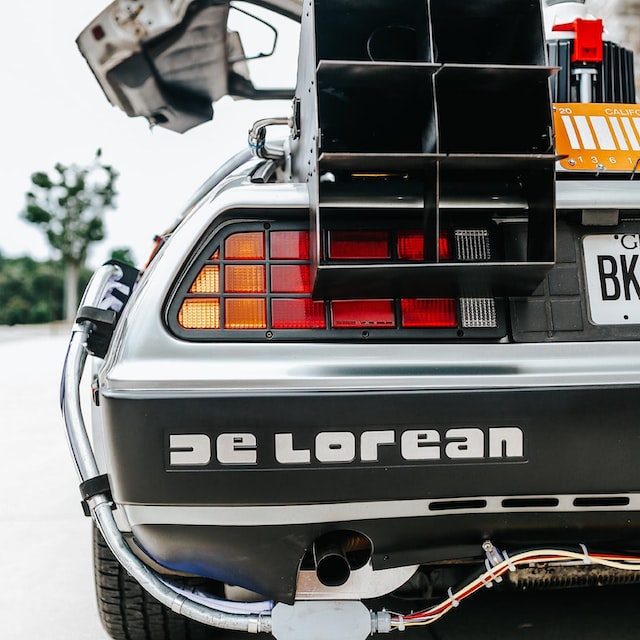
  • Every commit has a unique hash value
  • Can checkout old commit (browse history)
git checkout [commit hash to browse]
  • Can reset changes
git reset --hard [commit hash to reset to]
  • Removes need for my-file_final_v2_2019.R
  • Time travelling has its dangers…1

Branching

gitGraph
   commit
   commit
   branch feature
   checkout feature
   commit
   commit
   checkout main
   commit

  • Variations of repository: branches
git branch [my new branch name]
  • List current branches
git branch
  • Quick switching between branches
git checkout [branch name]

Merging two branches

gitGraph
   commit
   commit
   branch feature
   checkout feature
   commit
   commit
   checkout main
   commit
   merge feature

  • Consolidate diverged branches
  • Usually merged automagically
  • Conflicting changes can be a headache to fix
  • Line edited in source/target branch - keep which?
  • Resolving merge conflicts beyond today’s scope

Example of gitflow

gitGraph
   commit tag: "v0.0.1"
   commit
   branch feature-1
   checkout feature-1
   commit
   commit
   checkout main
   branch feature-2
   checkout feature-2
   commit
   checkout feature-1
   commit
   checkout main
   commit tag: "bugfix"
   merge feature-1 tag: "v0.1.0"
   checkout feature-2
   commit

  • gitflow: specific workflow for git repositories
  • features developed on branches, then merged into the main one

Version control and collaboration

  • git itself is just a command line tool for version control
  • git platforms add UI for collaboration1
  • git + GitHub
    • VCS (git)
    • Web hosting of code (GitHub)
    • Organisation with issues, discussions (GitHub)
    • Automation of checks/test (GitHub)

git platforms

GitHub.com

  • Huge number of R packages developed and hosted there:
  • 150 million developers and over 400 million repositories on GitHub.com as of June 2025
  • See the about GitHub page
  • “Social media” for developers / social coding
  • Discuss problems, propose changes, publish code

Branches and pull requests

  • Branches are a git concept
  • Git platforms add the concept of pull request (PR)
    • PR is a suggested merge from branch A to B
    • Usually from feature A to main
  • Allow to preview problems before merge and discuss changes
  • Once everyone is happy, a pull request1 can be merged
  • Every PR has an associated branch, but not every branch has a PR
  • More in the demo!

Automating things with GitHub

  • GitHub provides
  • Allows task automation, e.g.
    • Run unit tests
    • Build & host documentation
    • Static code analysis (linting)
  • Most important actions for R: github.com/r-lib/actions
  • Actions can be extremely useful to enforce best-practices and quality

A typical GitHub workflow

sequenceDiagram
    participant A as Anna
    participant GH as GitHub server
    participant B as Ben
    A->>A: make change locally & commit to <feature>
    A->>GH: push commit
    A->>GH: open pull request
    GH->>GH: run automated checks
    A->>B: request review
    B->>B: review code
    B->>A: request changes
    A->>A: implement changes locally & commit
    A->>GH: push commit
    GH->>GH: run automated checks
    A->>B: request review
    B->>B: review code
    B->>GH: approve changes, unblocking merge
    A->>GH: merge <feature> into <main>
    GH->>GH: run automated checks on <main>
    B->>GH: pull newest version of <main>

Looks awfully complicated, why?

  • Efficient collaboration with novice/untrusted contributors
    • Maintainer: automated checks reduce review burden
    • Contributor: no need to check manually
  • Branching promotes asynchronous work on features
  • Full history of the project is preserved - you can always go back

\(\leadsto\) Making collaboration on code scalable

Demo

  • How do we publish a repository on GitHub?
  • How do we add a collaborator on GitHub?
  • How does a pull request work?

Practical - collaboration on GitHub

  • Work in teams of 3 or 4
  • One member of the group can publish the project that we worked on in the previous practicals on their GitHub page
  • The same member can then invite the other members as collaborators
  • Every member can now:
    1. Review the project
    2. Create a new branch
    3. Propose some edits by opening a PR
  • The purpose of this exercise is to explore the collaboration functionality of GitHub - not to produce a perfect package

License information